I have a driving license and other documents on my phone, and I still can t give up my wallet
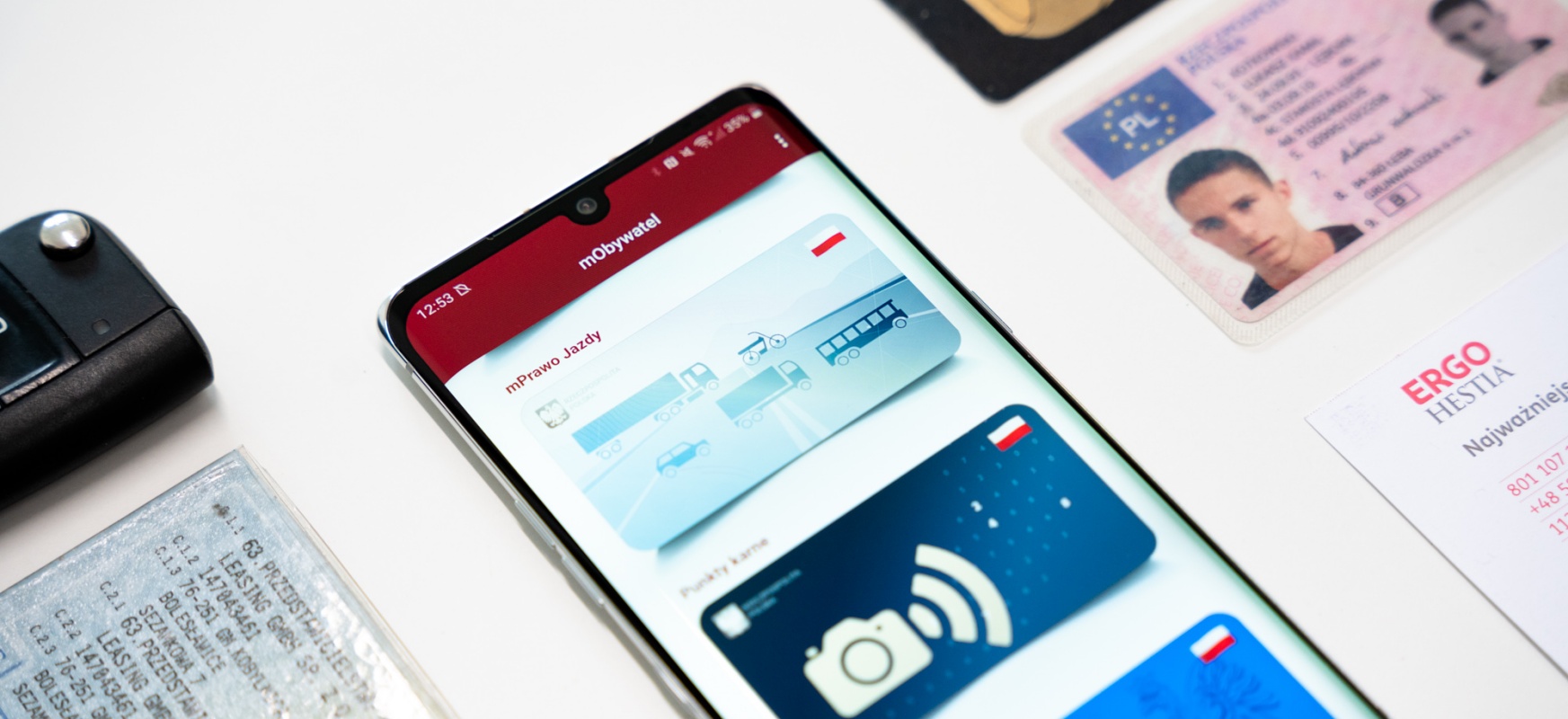
I already have all the necessary documents on my phone, and yet I can not completely give up my wallet. Even adding mPraw Driving to the mObywat application did not change that.
For several days, selected journalists in Poland have been able to test mPrawo Driving – a digital version of a classic document, available in the mOb citizens application. The digital version of the Driving License is currently available only in the Android application, but in July it will also be available on iOS devices.
Following the instructions sent to journalists by the Communication Department of the Ministry of Digitization, I added the Driving License to other documents that can already be used in the mOb Citizen application.
What does the driving license look like?
The tab containing the digital document consists of two pages: on one you will find our basic information and a photo, on the other – additional information.


Along with mDraw Driving, the mOb Citizens app also has access to the preview of Penalty Points.

If we have any points on the "account", there we will find relevant information about how many we have and for what we have received them.

We can show a digital driving license to a policeman during a roadside check and should be honored as an ordinary plastic document. Of course, if it is needed at all, because – as Adam Majcherek from the sister Autoblog notices – when the mPriving License will be made available to all users, it may prove … unnecessary. Unnecessary, because as with the vehicle’s registration certificate, in the event of a roadside check, a police officer reads all the necessary information from the IT system.
Is this the moment to get rid of your wallet?
I decided to do a small experiment at the weekend and leave my wallet at home. I usually carry the following set of documents in my wallet:
- ID card
- Driving license
- Proof of registration
- Two payment cards
- Card for Vitay points
- Membership card for the gym
- Library card (although I only wear it out of habit because I don’t need it in the library)
After the Digital Driving License appeared in the mObywat application, I can theoretically transfer everything to the phone:
- Identity card as an identity
- Driving license as a driving license
- Registration card as mPojazd
- Payment cards as Apple / Google Pay
- The Vitay points card as the Vitay / Orlen Pay application
- Membership in the gym in the application (or change the club to one where a card would not be required)
Theoretically, I could leave the house without a wallet and not worry about anything, because in theory I have with me exactly the same set of documents and means of payment as with my wallet (I never carry cash).
The reality, however, is not so rosy.

Let’s start with the oddity of m Identity. By design, a digital ID should replace plastic. The mObywat application even provided for the function of sharing data so that we do not have to give your ID card for the purpose of scanning it when concluding various contracts.
In practice, however, as we read in the description on the government website of the service :
You can show your identity wherever you are not required to show your ID card or passport. The service is not a substitute for an identity card.
The instructions on the page specify:
Where? For example, when receiving registered parcels at the post office, when establishing loyalty cards, when registering as part of services such as gyms, shops, medical services, and hotel services.
So, really, digital ID can be used in absolutely the most trivial applications. According to the instructions on Gov.pl, the lady in the local store should not have sold me alcohol when I showed her the phone instead of plastic.
So one plastic must stay in the wallet.

Digital driving license together with penalty points can only be kept on the phone, the more that plastic will soon become completely unnecessary.
However, not all mPojazd services will be able to replace the Registration ID and policy information. This service is available only to people who have purchased and registered the car on their own. Therefore, it does not include cars bought in leases (whether business or consumer) or used as part of long-term rental. And these are increasingly popular forms of buying cars.

And although, theoretically, you don’t need to have your Registration ID with you, let’s face it – having a physical document with you often makes life easier. I myself was a witness to a situation when a policeman could not read data from the IT system, because we were in such a deep province that even the "range of four networks" could not reach.
Whenever I can, I pay using Apple Pay or Google Pay. However, what if the phone discharges or hangs up when I’m in the store? Especially the second scenario is not unrealistic at all and I have once saved a plastic card, when when trying to pay the test phone simply refused to cooperate.
The mO Citizen application requires refinement.
I have been testing the citizen recently and although I appreciate the access to important documents (especially the e-prescription) in the application, I can see a huge field for corrections.

The most annoying thing about the application is probably the way we get to it.
On iOS, at first glance, access is only possible by entering a password. What’s more, the password must be set individually on each device on which we want to use the mObywat service – it is only a protection against access to the application. To add any documents to it, we must confirm it with a Trusted Profile each time.
Access on Android is via biometric security – fingerprint. The first login is done using a password, and then we can add a finger scan and PIN.
It’s just that … the PIN code is not used to unblock when, for example, we have dirty hands and the reader does not want to scan the fingerprint. No, a PIN is required each time you unlock the application with a finger scan. Absurd.
What’s more, it turns out that biometric unlocking can also be enabled on iOS, but … not from the application level.
To do this, it is necessary to enter the "Passwords and accounts" section in the iOS device settings and … manually enter the data of the mobywatel.gov.pl website: email address and login password.
For this, we do not really unlock the citizen in this way with biometric security, but only allow the iPhone or iPad to use the auto-complete password feature to log us into the service.
Detailed instructions on how to enable biometric unlocking in the mObywat application for iOS can be found in the text by Piotr Grabec.

On the one hand, these security measures are understandable, but on the other, they seem completely irrational. Even if I can log in to the bank’s application only using biometrics (or with two-factor authentication), couldn’t access to documents be secured in a similar way?
In addition, only the last weekend the Android application hung up several times, while the iOS application for a known reason did not allow me to add the document, displaying a trusted profile authentication error.
Don’t throw away your wallets yet
After a few days of testing the driving license and mO Citizen services, I can say that, unfortunately, it’s not time to get rid of your wallet.
Although thanks to services in telephones we can slim down wallets by a few plastics and get rid of cash completely, there are still documents that we should always have with us in traditional, not only digital form.
To paraphrase Aragorn’s words at the Black Gate of Mordor: perhaps the day will come when we will all get rid of plastic documents and abandon pushing wallets – but this is not the day.
I have a driving license and other documents on my phone, but I still can’t give up my wallet

from WordPress https://ift.tt/3drWrfB


Comments
Post a Comment